Where Can I Get WordPress Themes?
You can get WordPress themes from different places. The main source is the WordPress.org theme directory, which has thousands of free themes. You can also find themes on other websites, like theme developer sites or marketplaces. When choosing a theme, make sure it is safe, has good reviews, is updated often, and matches what you want for your website.
What Files Are in a WordPress Theme?
A WordPress theme needs some special files to work. The most important files are style.css, which controls the colors and style, and index.php, which shows your posts and pages. Most themes also have extra files for more features, like:
- functions.php-adds special features
- header.php-controls the top of the site
- footer.php-controls the bottom of the site
Every theme must have style.css and index.php to work right.
How I Chose My Theme
To choose my theme, I compared Astra, Neve, and OceanWP using a decision matrix. I looked at things like if the theme works on phones, is easy to customize, has good reviews, is updated recently, and has good support. I chose Astra because it is highly rated, easy to change, and mobile-friendly.
Theme Links
Astra: https://wordpress.org/themes/astra/
Neve: https://wordpress.org/themes/neve/
OceanWP: https://wordpress.org/themes/oceanwp/
How I Installed the Astra Theme
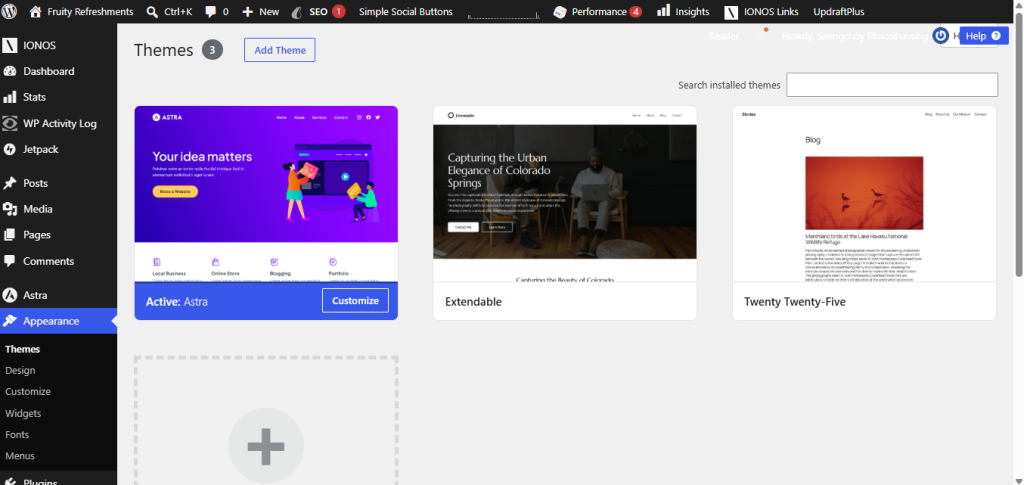
I went to Appearance, then Theme in my WordPress dashboard. The Astra theme was already showing on the page with other recommended themes. I then clicked Install and Activate. I did not need to do any extra steps.
Astra Theme Screenshot